
Does Mastra have built-in memory?
Yes. The `@mastra/memory` package gives Mastra agents persistent conversation history, semantic recall, working memory and observational memory. A `Memory` instance is attached to an agent, and the application passes a stable `thread` and `resource` when it calls `generate()` or `stream()`.
Memory requires a storage provider. The storage adapter persists messages and memory state; the optional vector store and embedder add semantic recall. Without a storage provider, the memory layer has nowhere durable to write. The quickstart commonly uses `@mastra/libsql`, while production teams can choose Postgres, MongoDB and other supported adapters.
What are the Mastra memory layers?
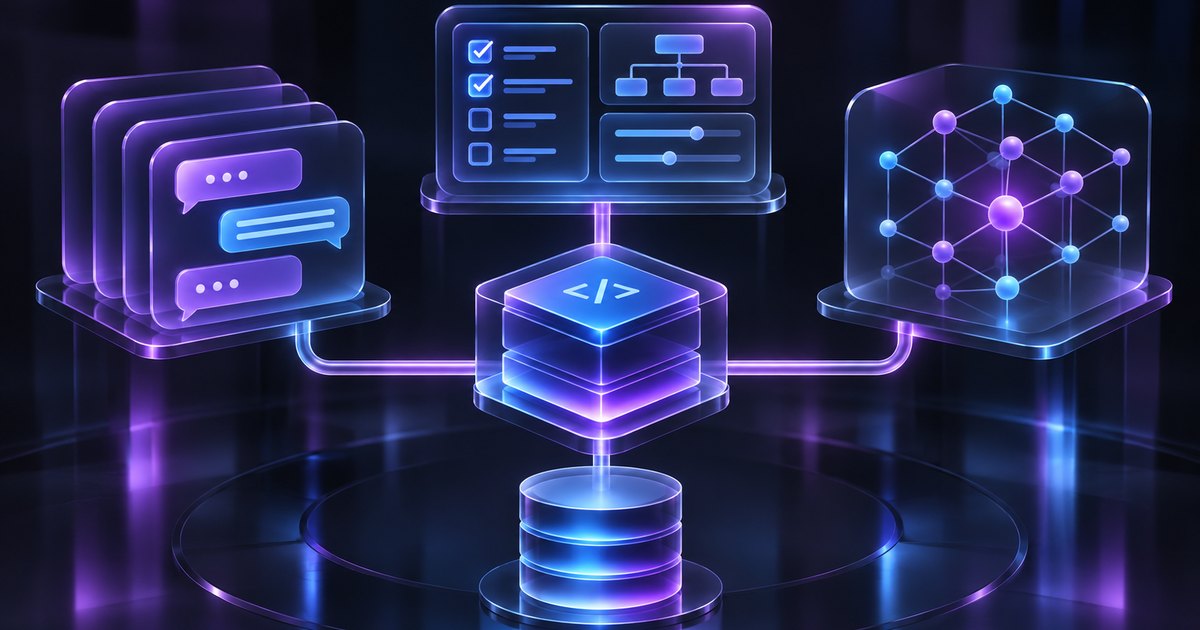
Mastra does not have one undifferentiated “memory” switch. Each layer answers a different question and adds a different kind of context to the model request. Enable the smallest set that supports a measured product behavior; every extra layer adds storage, latency and evaluation work.
| Layer | Question it answers | Default behavior |
|---|---|---|
| Message history | What happened recently in this conversation? | Recent messages from the thread, limited by `lastMessages` |
| Working memory | What stable facts should always be available? | Markdown scratchpad, resource-scoped by default |
| Semantic recall | Which older messages are semantically relevant? | Vector search, disabled until configured |
| Observational memory | How do we compress a long conversation without losing it? | Optional background observations, recommended for long threads |
| Memory processors | What should be filtered, trimmed or prioritized? | Built-in processors manage history and context limits |
What are threads and resources in Mastra?
A thread is one conversation session containing a sequence of messages. A resource is the entity that owns the thread, such as a user, organization, project or document. Every message belongs to both identifiers, and reusing the same pair continues the same conversation and memory scope.
This distinction is the basis for isolation. A user ID is a reasonable resource for a single-user assistant; a shared document or group chat may use a document or room ID instead. Resolve both identifiers from authenticated application context, not from a value supplied by the model, and test that a caller cannot read another resource by guessing a thread ID.
| Identifier | Represents | Typical value |
|---|---|---|
| Thread | One conversation session | `conversation-123` |
| Resource | The owner of the thread | `user-456` or `doc_42` |
| Working memory scope | Where persistent facts live | `resource` by default, or `thread` |
| Semantic recall scope | Which messages can be retrieved | Resource and thread configuration |
How does Mastra message history work?
Mastra stores messages in the thread and automatically includes recent messages in the context window. The default `lastMessages` window is 10 messages. That count includes tool calls, tool results and signals, so a single agent turn can add several messages to the window.
The window slides forward on every request. Once a thread grows past the limit, the oldest message leaves the context, which changes the prompt prefix and can invalidate provider prompt caching. For long-running conversations, Mastra recommends observational memory or a token-based `messageHistory` budget instead of relying on a raw message count.
import { Agent } from '@mastra/core/agent';
import { Memory } from '@mastra/memory';
import { LibSQLStore } from '@mastra/libsql';

const agent = new Agent({
  id: 'support-agent',
  name: 'SupportAgent',
  model: 'openai/gpt-5.6-sol',
  memory: new Memory({
    storage: new LibSQLStore({
      id: 'agent-storage',
      url: 'file:./memory.db',
    }),
    options: {
      lastMessages: 10,
    },
  }),
});

await agent.generate('What did we decide last time?', {
  memory: { thread: 'conversation-123', resource: 'user-456' },
});
How does Mastra working memory work?
Working memory is a block of Markdown that the agent can update over time. It is the agent’s active scratchpad for facts that should always be available: a name, a plan, a preference or a long-term goal. Mastra injects the block into the model context, so it is different from a message that may fall out of the history window.
Working memory is resource-scoped by default. It persists across all threads for the same resource, which is useful for a user profile. Thread scope keeps the block isolated to one conversation. Switching scope is not a migration: thread-scoped memory is separate from resource-scoped memory, and the agent will not see the other scope automatically.
- Store stable preferences, goals and decisions that should always be present.
- Keep the template small; every field consumes context on every request.
- Do not store secrets, credentials or sensitive raw data.
- Treat working memory as data, not as system instructions.
- Review and correct the block when a user changes a preference.
const memory = new Memory({
  storage,
  options: {
    workingMemory: {
      enabled: true,
      scope: 'resource',
      template: `# User Profile
- Name:
- Timezone:
- Preferred contact window:
- Current goal:`,
    },
  },
});How does Mastra semantic recall work?
Semantic recall is RAG over agent memory. It embeds messages, queries a vector store for semantically similar earlier messages and adds the most relevant ones to the context. That helps when a user asks about a decision that is no longer in the recent message window, or when a fact appears in another thread.
Semantic recall is disabled by default. Enable it with `semanticRecall: true` and provide a vector store plus an embedder, unless the vector store generates embeddings itself. After the model responds, Mastra embeds the new messages and writes them to the vector store for future retrieval. Similarity is not truth: a recalled message can be outdated, taken out of context or irrelevant to the current permission boundary.
What is Mastra observational memory?
Observational memory is Mastra’s long-context memory system. Background agents called an Observer and a Reflector watch the conversation and maintain a dense observation log that replaces raw message history as it grows. The goal is to keep the prompt small while preserving the important long-term context.
It is enabled with `observationalMemory: true` and requires a supported storage provider, such as LibSQL, Postgres, MySQL, MongoDB, Convex or OracleDB. The docs recommend observational memory for long-running threads because the observation log keeps the prompt prefix more stable than a sliding `lastMessages` window. It is also asynchronous, so the observation may lag the conversation and may not preserve every detail.
- Use it for long conversations that outgrow a fixed message window.
- Choose a supported storage adapter before enabling it.
- Decide which model performs observation and reflection.
- Test the observation log for lost details and stale decisions.
- Do not run observational memory and working memory together without measuring the added latency.
What do Mastra memory processors do?
When memory is enabled, Mastra adds memory processors to the agent’s processor pipeline. `MessageHistory` retrieves recent messages and persists new ones. `SemanticRecall` retrieves relevant messages and embeds new ones. `WorkingMemory` manages the scratchpad. `MemoryInputFilter` trims client-echoed history before the memory loaders run.
Processors are where context filtering and prioritization happen. They can trim, filter, transform or deduplicate messages before the model sees them. Keep the order explicit and test the result: a processor that removes context for cost reasons can also remove the fact the agent needed.
How do Mastra multi-user threads work?
A thread belongs to one resource ID, but multiple people can share that thread when the resource represents the conversation rather than one person. For a collaborative document, use a document ID as the resource and the same thread ID for every participant. For a group chat, use the room ID.
The model still needs to know who is speaking. Mastra’s documented pattern wraps each user message in a `<turn>` tag with the speaker’s ID, name and role, and teaches the agent to read that tag. The tag persists in the message body, so recalled history keeps the attribution. This pattern is not a substitute for authorization: the application must decide which participants may read or write the thread.
What are the limits of Mastra memory?
Mastra memory is scoped to the agent and the storage you configure. It does not automatically provide a cross-framework memory contract, a centralized deletion workflow or a tenant model that spans products. Working memory, semantic recall and observational memory each add their own storage, latency and evaluation costs.
The most common mistake is treating a recalled message as current truth. A semantic match can be old, a working-memory field can be stale and an observation can compress away a caveat. Keep source systems authoritative, record provenance where it matters and test correction and deletion explicitly.
- Semantic recall is similarity search, not a correctness guarantee.
- Working memory can become stale if the user changes a preference.
- Observational memory is asynchronous and can lose detail.
- A thread or resource ID is not an authorization grant.
- Storage adapters have different retention and backup behavior.
- Cross-framework memory needs an explicit external contract.
How do you test Mastra memory before production?
Test each layer separately, then test them together. Start a thread, restart the process and confirm the message history loads. Change a working-memory field and verify the next request uses the new value. Ask a question that requires a message outside the recent window and confirm semantic recall returns the right source. Finally, test a second resource and prove that no memory crosses the boundary.
| Test | Pass condition |
|---|---|
| Same thread after restart | Message history loads from storage |
| New thread for the same resource | Only resource-scoped memory follows the user |
| Changed working-memory field | The next request uses the current value |
| Semantic recall | The relevant older message is retrieved, not just a similar one |
| Wrong resource | No history or working memory crosses the boundary |
| Deletion | Messages, vectors and derived observations disappear |
| Long thread | The chosen memory layer keeps the context within budget |
What is the recommended Mastra memory architecture?
Use message history for conversation continuity, working memory for stable user or task facts and semantic recall for older relevant messages. Add observational memory when long threads outgrow the window. Keep the storage provider, vector store and embedder explicit, and resolve thread and resource IDs from trusted application context. Add an external memory layer when the same context must serve several frameworks or products.
Frequently asked questions
Does Mastra have built-in memory?
Yes. The `@mastra/memory` package adds message history, working memory, semantic recall and observational memory to a Mastra agent. It requires a storage provider, and semantic recall also needs a vector store and embedder unless the store generates embeddings itself.
What is the difference between a thread and a resource in Mastra?
A thread is one conversation session. A resource is the entity that owns the thread, such as a user, organization, document or room. Reusing the same pair continues the same conversation and memory scope.
What is Mastra working memory?
Working memory is a Markdown scratchpad of stable facts, preferences or goals. It is resource-scoped by default and can be thread-scoped when memory should stay inside one conversation.
How does Mastra semantic recall work?
Mastra embeds messages and queries a vector store for semantically similar earlier messages. The relevant matches are added to the model context. It is similarity search, not a guarantee that the recalled fact is current or authorized.
What is Mastra observational memory?
Observational memory uses background Observer and Reflector agents to maintain a dense observation log that replaces raw message history as a long conversation grows. It requires a supported storage provider and is asynchronous.
Can Mastra memory serve multiple users in one thread?
Yes. A shared thread can use a resource ID that represents the conversation, and each user message can carry a `<turn>` tag with the speaker’s identity. The application still enforces who may read or write the thread.